
Claude Code with GLM, Kimi and DeepSeek — No Env Vars
Run a Claude Code-style agent on GLM, Kimi, DeepSeek or Ollama without editing ANTHROPIC_BASE_URL: one engine per tab, side by side, and what you give up.
Search for "Claude Code with GLM" or "Claude Code with Kimi" and almost every guide gives you the same recipe: export ANTHROPIC_BASE_URL and ANTHROPIC_AUTH_TOKEN, point them at the provider's Anthropic-compatible endpoint, restart claude.
It works. It's also global to your shell, which turns "try the same prompt on another model" into an exercise in editing variables.
The three usual recipes
1. Export the variables.
export ANTHROPIC_BASE_URL="<provider's Anthropic-compatible endpoint>"
export ANTHROPIC_AUTH_TOKEN="<your key>"
claude
One model per shell. To switch, you change both variables and start over.
2. Wrap it in shell functions. A glm, a kimi, a ds in your ~/.zshrc, each setting the variables before launching claude. Nicer to type; still one model per terminal, and the keys now live in your shell profile.
3. Put a gateway in front. LiteLLM or a similar proxy translates Claude Code's Anthropic protocol to whatever the provider speaks. Most flexible, and one more service to run and configure.
All three have one thing going for them: what runs is Claude Code itself, so you keep its full feature set — MCP servers, subagents, everything.
One engine per tab instead
OpenCockpit makes the model a per-tab choice. Open a tab, pick GLM, Kimi, DeepSeek or Ollama in the header, paste the key once into that engine's picker, done. The next tab can be Claude, the one after that Codex.
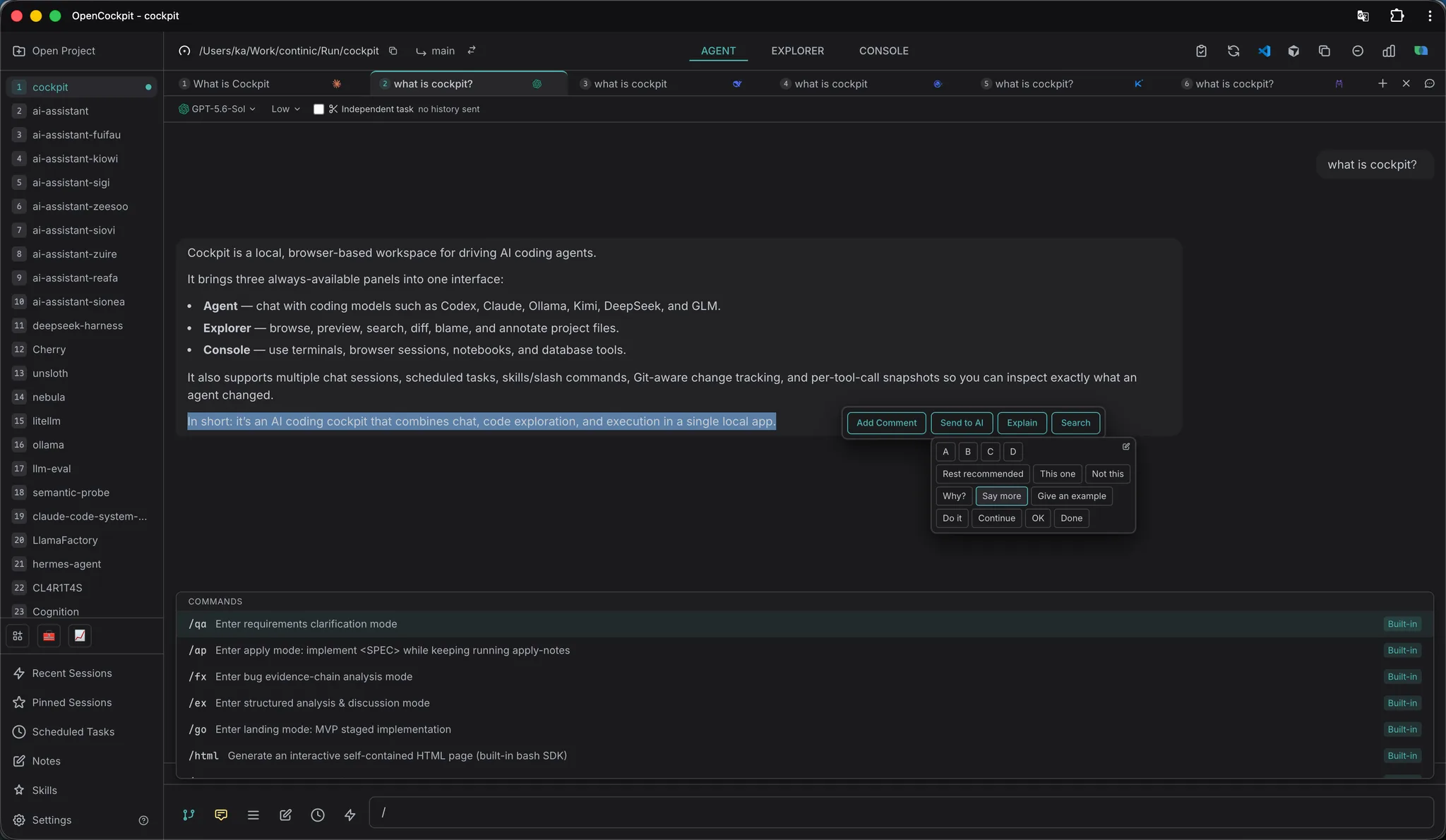
That screenshot is the whole point: the same question, six engines, one window, one project. No variable changed, nothing restarted.
A few things come along with per-engine setup:
- Keys stay out of your shell. Each engine keeps its own credential file under
~/.cockpit/<engine>/credentials.json. - The model list is live. GLM, Kimi and DeepSeek tabs fetch the models your key can actually use, so a model the provider ships tomorrow shows up on its own.
- Provider-specific bits are handled. GLM tabs have a region switch (mainland or international host, same key) and a Coding Plan quota check; Kimi tabs read your plan's 5-hour and weekly windows; DeepSeek tabs show your prepaid balance.
- Same UI for every engine. Session history, forking and per-tool-call snapshots work the same whichever model is answering.
What you give up
This part matters, so plainly: GLM, Kimi, DeepSeek and Ollama tabs don't run Claude Code. They run OpenCockpit's own Built-in Agent against the provider's OpenAI-compatible endpoint. It reads and edits files, runs shell commands and streams its work, but it has seven tools — Read, Write, Edit, Bash, Glob, Grep, TodoWrite — and no MCP servers, no subagents, no image input.
If you need MCP or subagents on a non-Anthropic model, the environment-variable recipe is still the right tool. OpenCockpit trades them for switching per tab without touching your shell — which, for comparing models or keeping a cheap model on routine work next to Claude on the hard parts, is usually the trade you want.
Try it
npm i -g @surething/cockpit && cockpit
Open a project, add a tab, pick an engine. Setup details for each provider — where to get the key, which models to start with, common errors — are in AI Engines.